예전 포스팅(https://moogie.tistory.com/145)에서 여러 종류의 상관계수에 대해 알아봤었는데, 이번에는 상관계수 시각화에 대해 포스팅합니다.
[EDA] Correlation (상관계수) - Pearson, Spearman, Kendall, XI
안녕하세요! 이번 포스팅에서는 상관계수에 대해 좋은 논문이 있어서 간단하게 소개드립니다. 캐글이나 데이콘에서 데이터 탐색 파트를 살펴보면 Pearson 상관계수나, Spearman 상관계수를 많이 사
moogie.tistory.com
1. 히트맵 형식의 시각화
기본적으로 데이터로부터 상관계수 시각화를 하려면 각 변수간의 상관계수를 구해야합니다.
R에서는 cor함수를 사용하여 상관행렬을 구할 수 있지만 matrix 클래스의 객체이므로 시각화를 위해 적절하게 변형해야합니다.
여러 방법이 있겠지만 결과적으로는 (변수1, 변수2, 상관계수값)의 열을 가진 데이터프레임을 만든 다음에 ggplot 패키지를 사용하여 히트맵을 구성할 수 있습니다.
# 간단코드
cor(mtcars) |> as.data.frame.table() |>
  ggplot(mapping=aes(x=Var1, y=Var2, fill=Freq)) + geom_tile()

# 동일코드
cor(mtcars) |>
  # 데이터 프레임으로 변경
  as.data.frame() |>
  # 변수명을 열에 추가
  mutate(Var1=row.names(cor(mtcars))) |>
  # 피벗팅을 통해 열에 있는 변수명들을 하나의 열로 모음
  pivot_longer(cols = !Var1, names_to = "Var2", values_to="corr") |>
  # geom_tile 함수를 사용해 히트맵 시각화
  ggplot(mapping=aes(x=Var1, y=Var2, fill=corr)) + geom_tile()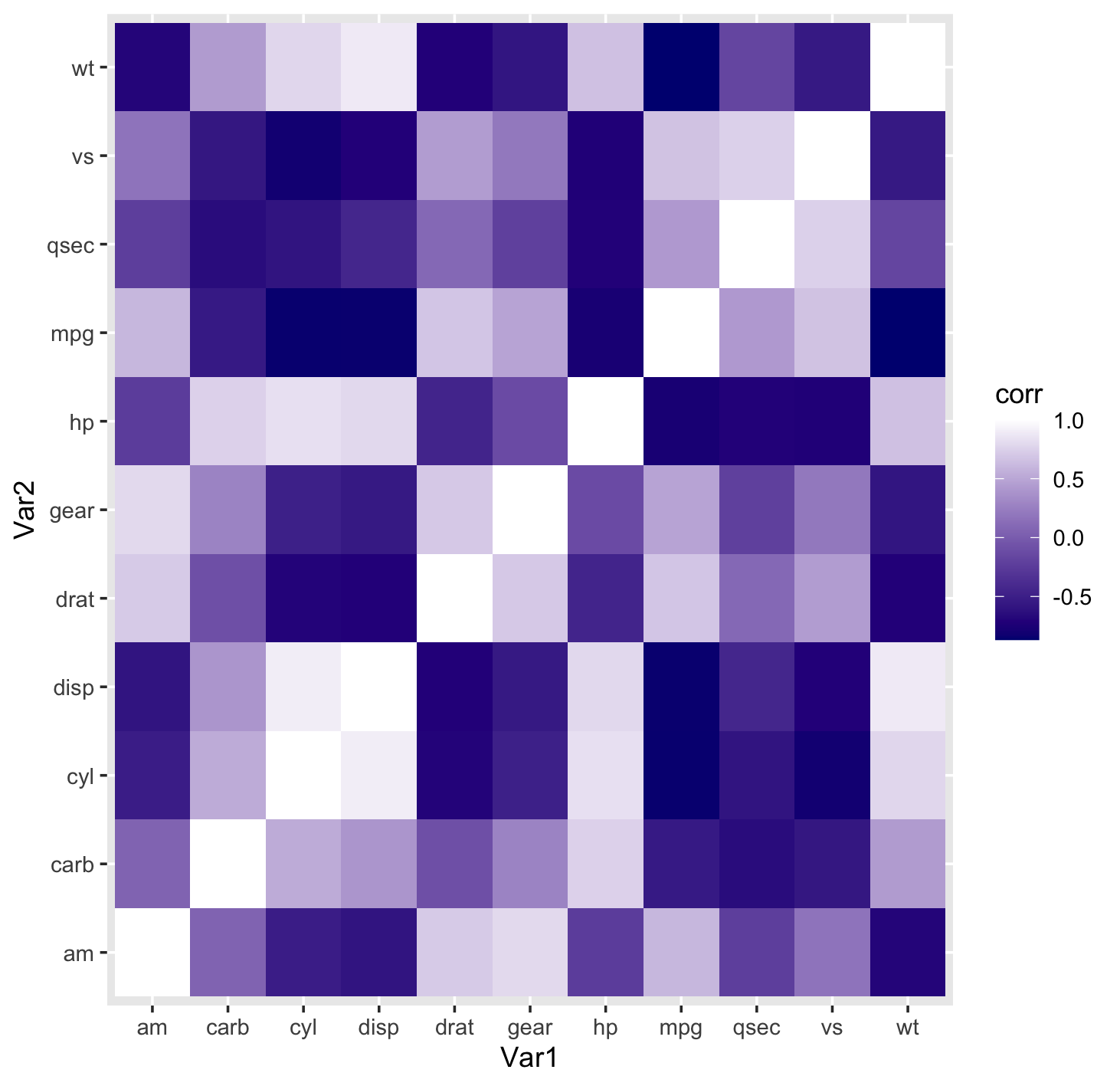
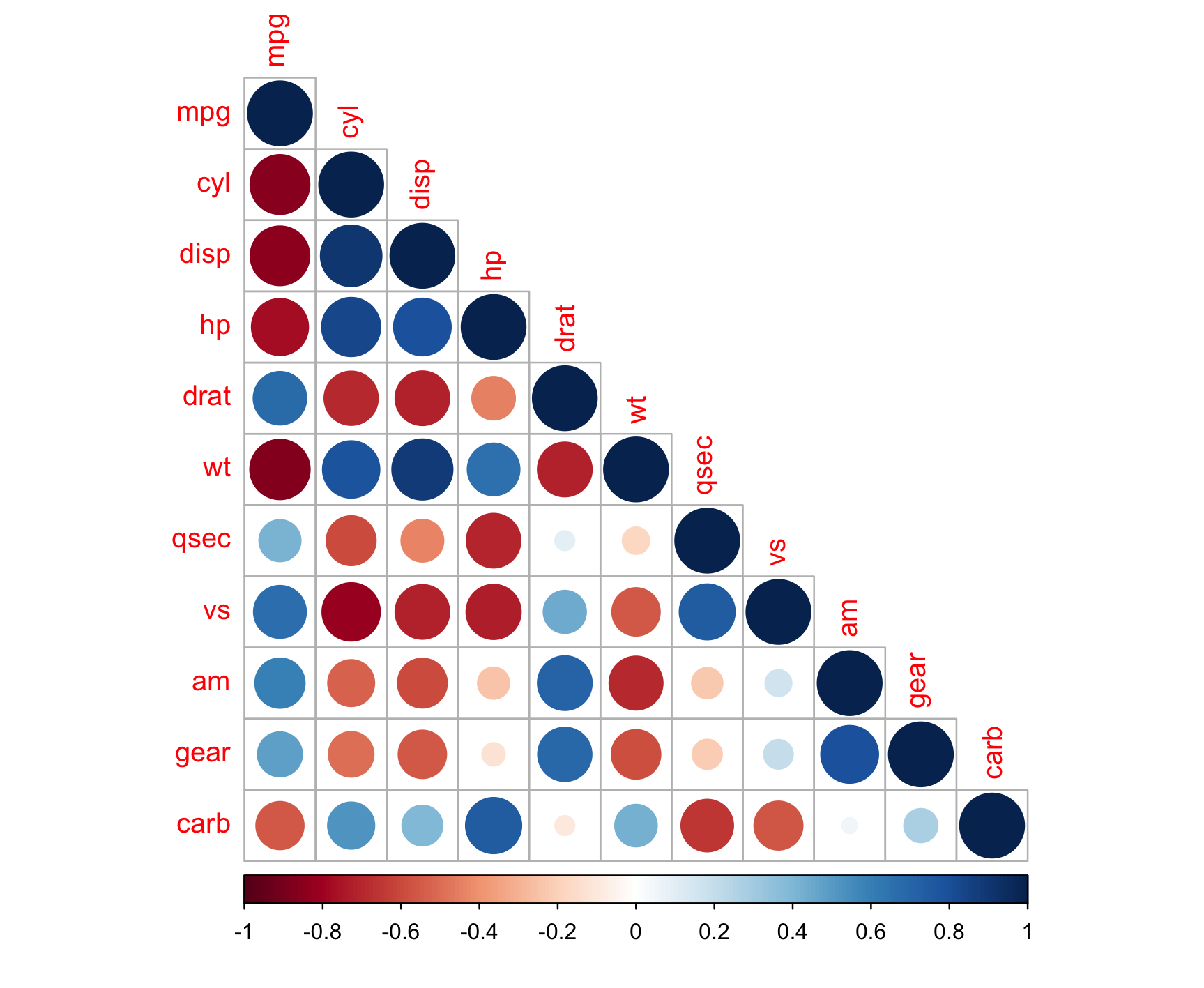
물론, 위와 같이 시각화 하는 것도 좋지만 함수를 이용한 3가지 방법도 작성해봅니다.
- pairs : 산점도(Scatter Plot)을 그릴때 주로 사용하나, 산점도의 패널(panel)마다 다른 그래프를 넣을 수 있는 점을 이용
- corrplot : corrplot 패키지의 함수로 표현 방식(circle, square, number, pie 등등)과 표현 영역등을 지정할 수 있음
- ggpairs : GGally 패키지의 함수로 다양한 활용이 가능하며 특히 그룹별 시각화도 지원
# pairs 함수를 이용한 상관계수 시각화
panel.cor <- function(x, y, digits = 2, prefix = "", cex.cor, ...)
{
  par(usr = c(0, 1, 0, 1))
  r <- abs(cor(x, y))
  txt <- format(c(r, 0.123456789), digits = digits)[1]
  txt <- paste0(prefix, txt)
  if(missing(cex.cor)) cex.cor <- 0.8/strwidth(txt)
  text(0.5, 0.5, txt, cex = cex.cor * r)
}
pairs(mtcars, lower.panel = panel.smooth, upper.panel = panel.cor


# corrplot을 이용한 상관계수 시각화
corrplot::corrplot(mtcars |> cor(), method = "circle", type="lower")

# ggpairs를 이용한 상관계수 시각화
mtcars |> mutate(cyl = factor(cyl)) |>
  GGally::ggpairs(mapping=aes(color=cyl), columns = 1:5)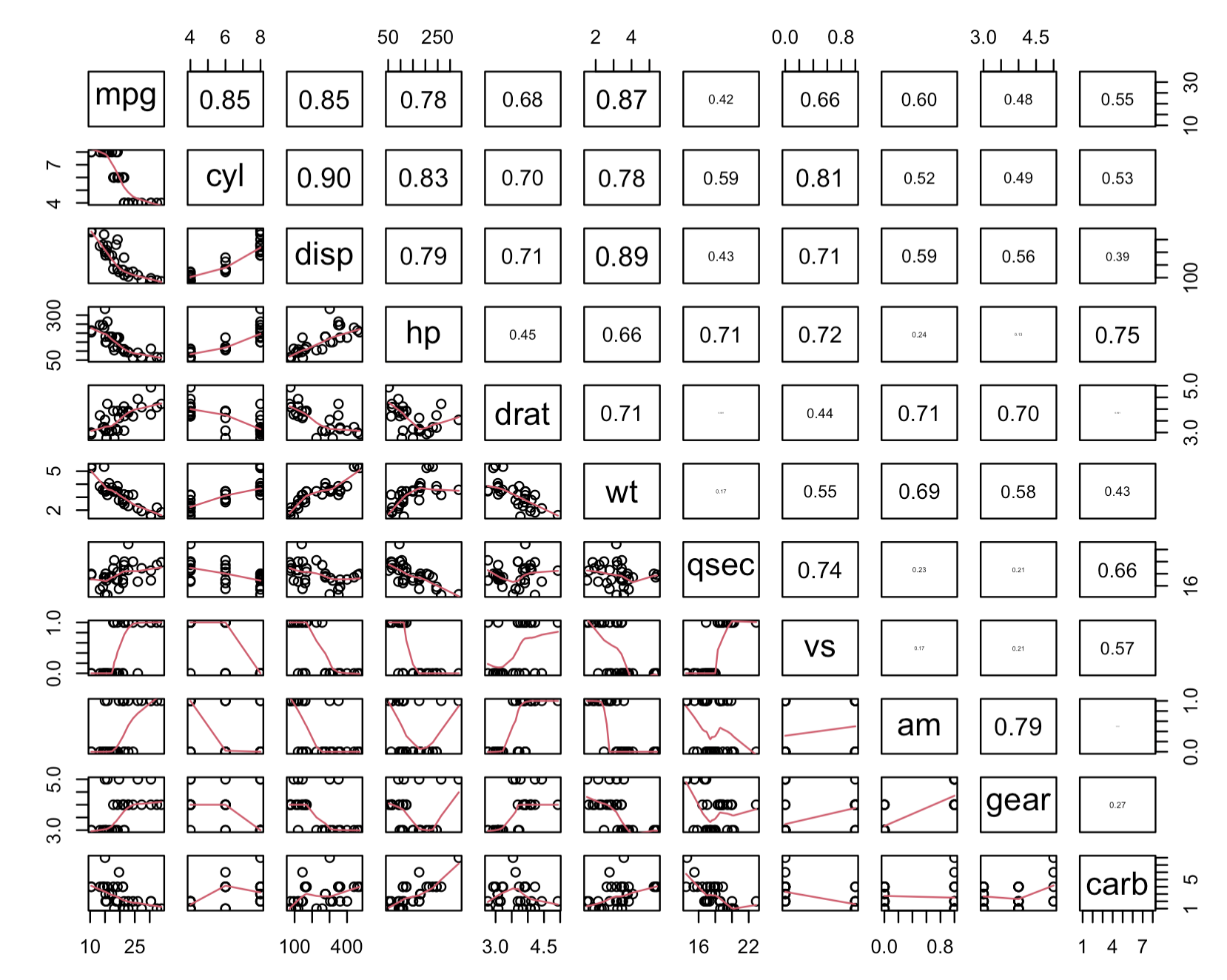

2. 반응변수에 대한 상관분석 결과를 이용한 Error bar 형식의 그래프
반응변수(종속변수)에 대한 설명변수(독립변수)들의 상관계수를 통계적 검정을 통해 다양한 통계값을 구할 수 있습니다.
아래와 같이 추정치(estimate)와 신뢰구간(conf.low, conf.high)를 사용하여 의미있는 결과를 도출할 수 있습니다.
corr_res <- mtcars |> select(-mpg) |> map(cor.test, y=mtcars$mpg)

# 기본 베이스
corr_res |>
  map_dfr(broom::tidy, .id="predictor") |>
  ggplot(mapping=aes(x=fct_reorder(predictor, estimate))) +
  geom_point(aes(y=estimate)) +
  geom_errorbar(aes(ymin=conf.low, ymax=conf.high), width = 0.2) +
  labs(x=NULL, y = "Correlation with MPG")

# 그래프 외형 수정 버전
corr_res |>
  map_dfr(broom::tidy, .id="predictor") |>
  ggplot(mapping=aes(x=fct_reorder(predictor, estimate), color=estimate<0)) +
  geom_point(aes(y=estimate)) +
  geom_errorbar(aes(ymin=conf.low, ymax=conf.high), width = 0.2) +
  geom_hline(yintercept = 0, color = "grey40") +
  scale_color_brewer(palette = "Set1") +
  theme(legend.position = "none") +
  labs(x=NULL, y = "Correlation with MPG")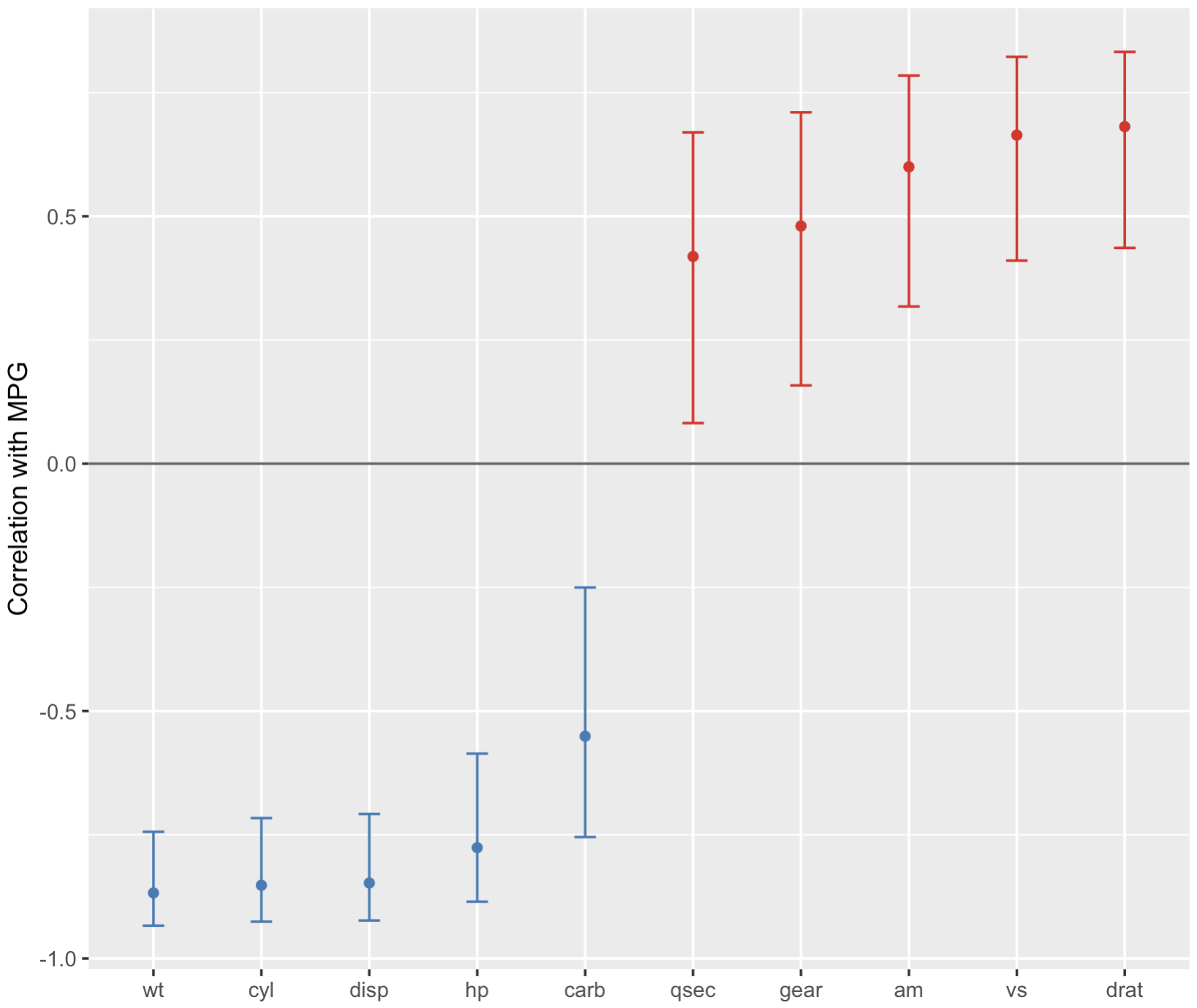
'Data Science > Manipulation' 카테고리의 다른 글
| [R] rlang으로 하는 동적 변수 참조와 환경(Environment) (4) | 2024.11.04 |
|---|---|
| [R] 사용자 정의 함수 관련 잡기술 (1) | 2024.10.19 |
| [R] slice함수 : 위치를 이용한 행 선택 (Subset rows using position) (2) | 2023.09.06 |
| [Data Science With R] 16. 리스트열(List-column)을 이용한 모델 (0) | 2023.09.02 |
| [R] all_of와 any_of를 사용한 변수 선택 (조건을 이용한 선택 추가) (1) | 2023.07.29 |